

What is Turbo Browser?
Turbo Browser is a Chromium-based desktop browser for Windows and macOS, free to download. It is not a Google or Microsoft product. It keeps Chromium-level web compatibility and the extension ecosystem while adding account sync, Chrome/Edge import, mouse gestures, screenshots, and tab enhancements.
Fast cold start and low memory use, with relatively high Speedometer scores (varies by hardware; for reference only; Features page includes one sample screenshot). It suits users who want to stay in the Chromium ecosystem with sync, migration, and productivity tools. The engine stays on the Chromium mainline with ongoing security and web-standard updates. See the Download page for the current version.
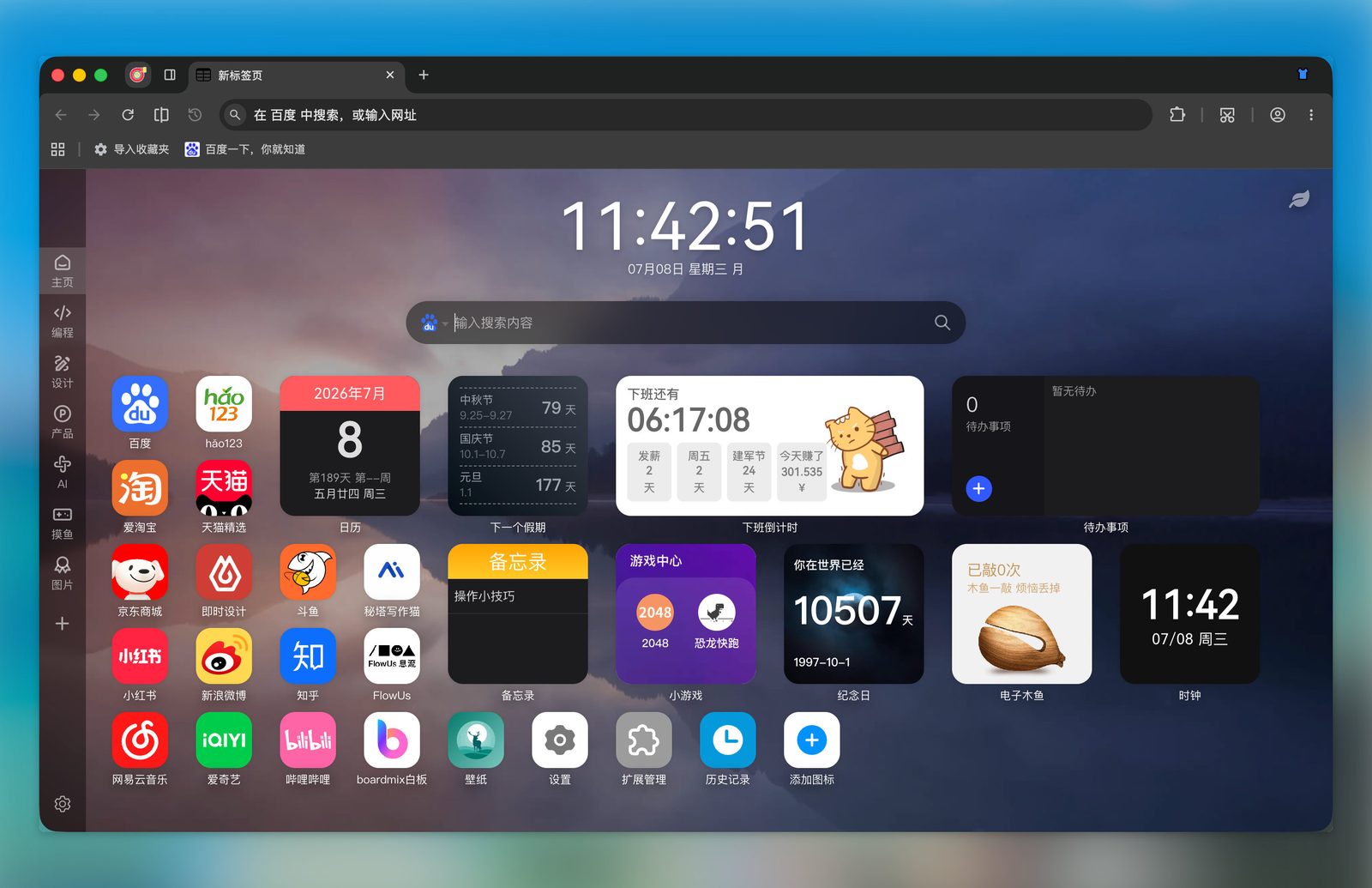
Turbo Browser main window
Why Turbo?
| Area | Highlights |
|---|---|
| Speed | Fast cold start, low memory use; relatively high Speedometer scores (varies by hardware; for reference only; Features page includes one sample screenshot) |
| Familiar foundation | Chromium core — web compatibility, extensions, and DevTools aligned with Chrome |
| Accounts & sync | Turbo or Google sign-in; Turbo account incremental sync for bookmarks, passwords (including Passkeys), browser settings, extensions, and NTP My shortcuts (bookmarks and passwords can be toggled separately); Google account uses Google Sync |
| Easy migration | Import bookmarks, passwords, autofill, and extensions from Chrome or Edge; Safari bookmarks on macOS |
| Productivity | Mouse gestures, boss key, screenshots, tab restore, paste-and-open via “+”, small account tabs, parallel downloads / Xunlei·IDM, address bar shortcuts |
| Dual stores | Chrome Web Store and Microsoft Edge Add-ons in one browser |
Relationship to Chromium / Chrome
Turbo is more than a reskin: it customizes branding, installers, sync, UI, and behavior on top of Chromium, with its own sync service, update flow, and day-to-day interaction enhancements.
| Capability | Chrome | Turbo Browser |
|---|---|---|
| Engine & extensions | Chromium | Chromium (same compatibility) |
| Account sync | Primarily Google account | Turbo or Google account |
| Data import | Supported | One-click import from Chrome / Edge (Safari bookmarks on macOS) |
| Mouse gestures / boss key | Requires extensions | Built in |
| Region capture / page export | Extensions or OS tools | Built-in toolbar and shortcuts (left-click full screen, right-click web export) |
| Extension stores | Chrome Web Store | Chrome + Edge store entries |
For a fuller comparison and use cases, see What's the difference between Turbo and Chrome?. If you're looking for a Chrome alternative or Chromium desktop browser, see FAQ.
Who it's for
- Users who want the Chromium ecosystem with stronger sync and migration
- Users who rely on mouse gestures, boss key, and screenshots
- Users who want flexibility between Chrome and Edge extension and theme stores
- Users on Windows and macOS
Related mentions
 小棉袄的百味人生 · July 2026 picks
 TeaTimes · Turbo Browser
 APP搜罗 · Fast, light, a solid niche browser
 办公人导航 · Turbo Browser
 Appinn · A pure niche browser
 不死鸟 · Turbo Browser
Next steps
- Browse Features for the full capability list
- Follow Quick Start for first-time setup
- Learn more: Data Import, Sync, Extensions, Screenshots
- See Shortcuts and Mouse gestures
- Go to Download for the installer; Changelog for release notes